2023 campaign archive

BETTER INTERNET, BETTER FUTURE.

How to Vote in the next APNIC EC election?
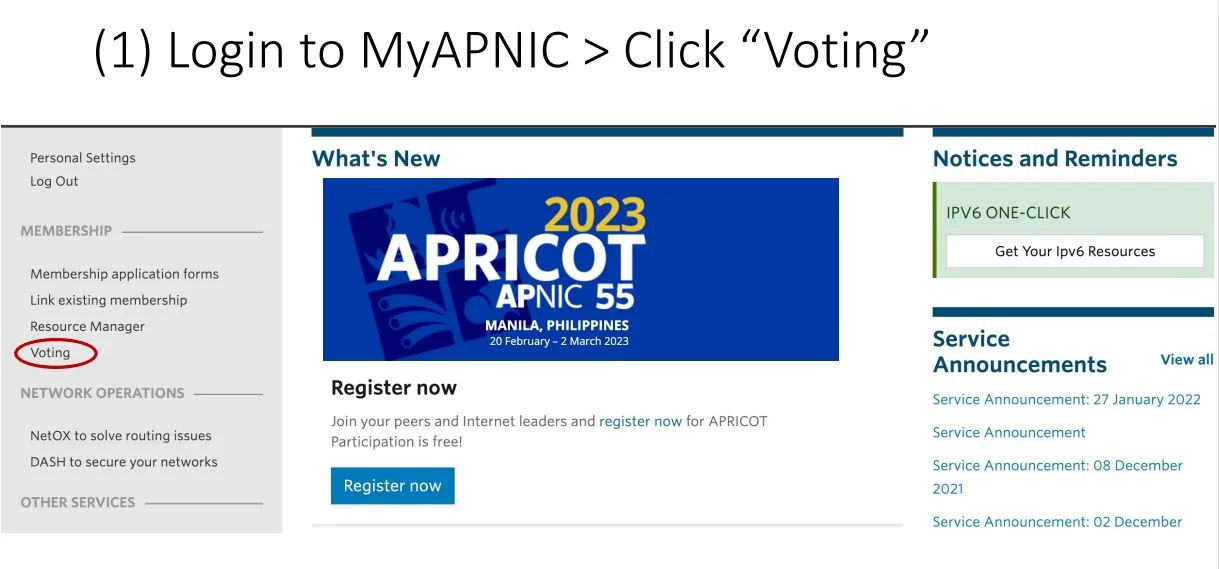
  1. MyAPNIC homepage with the Voting menu highlighted.
    Open Voting in MyAPNIC.
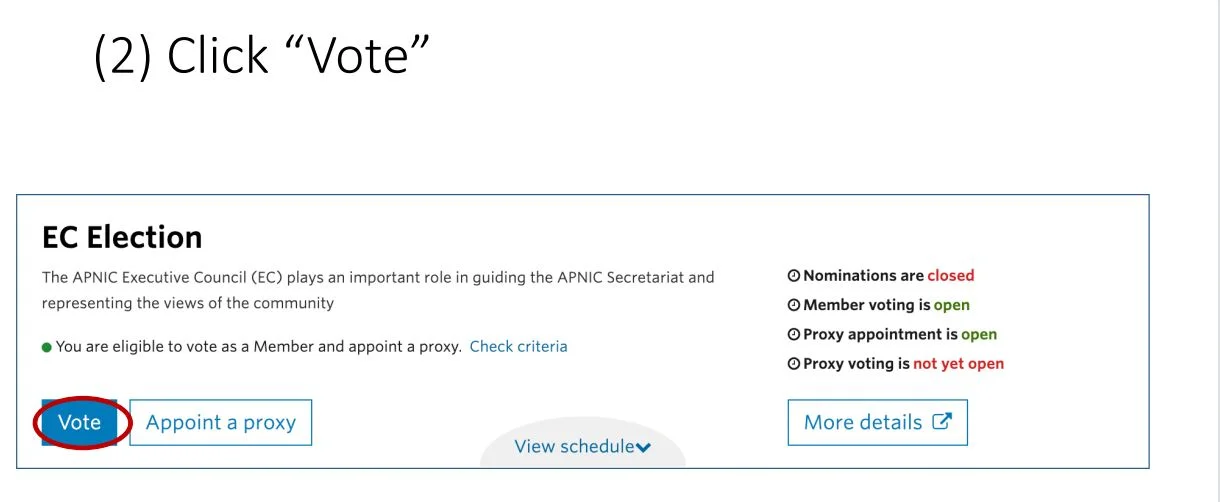
  2. APNIC EC Election page with the Vote button highlighted.
    Choose Vote.
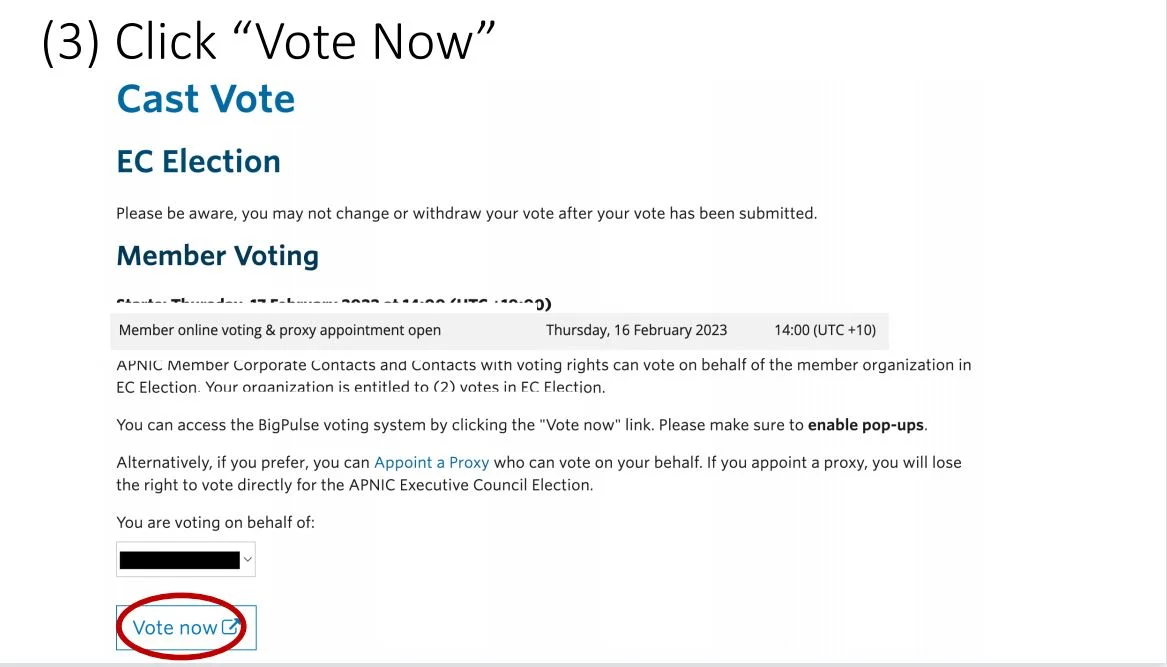
  3. Cast Vote page with the Vote now button highlighted.
    Choose Vote now.
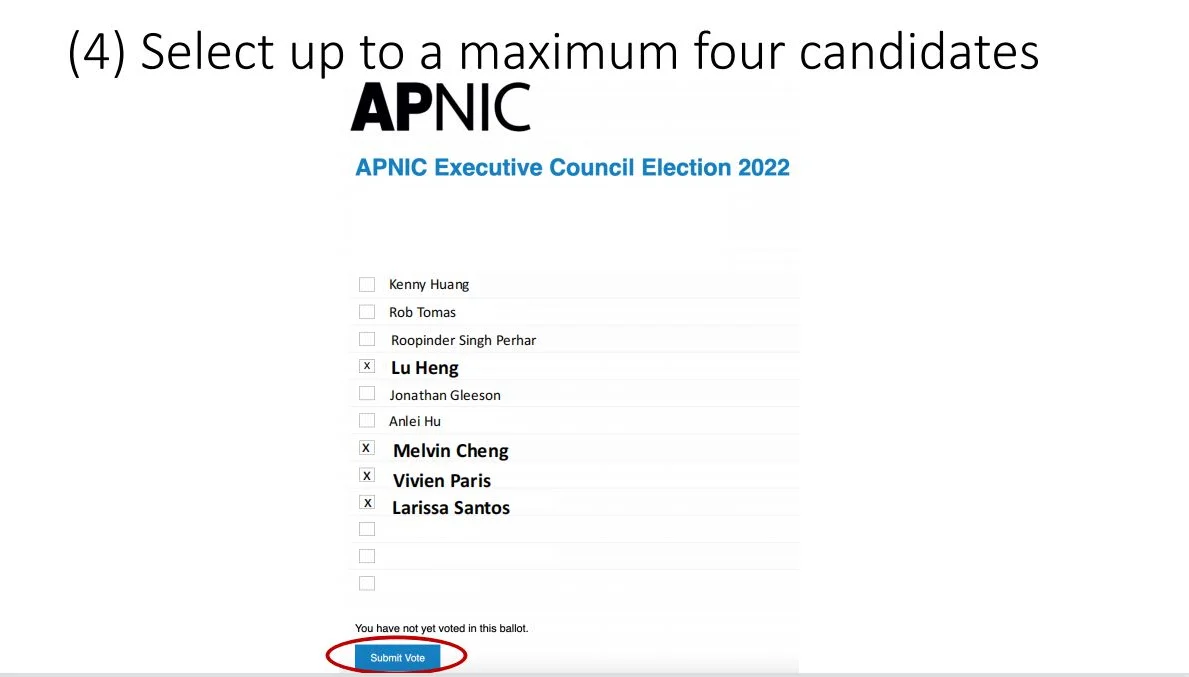
  4. Example 2022 APNIC ballot showing the choice of up to four candidates.
    Select up to four candidates on the example ballot.
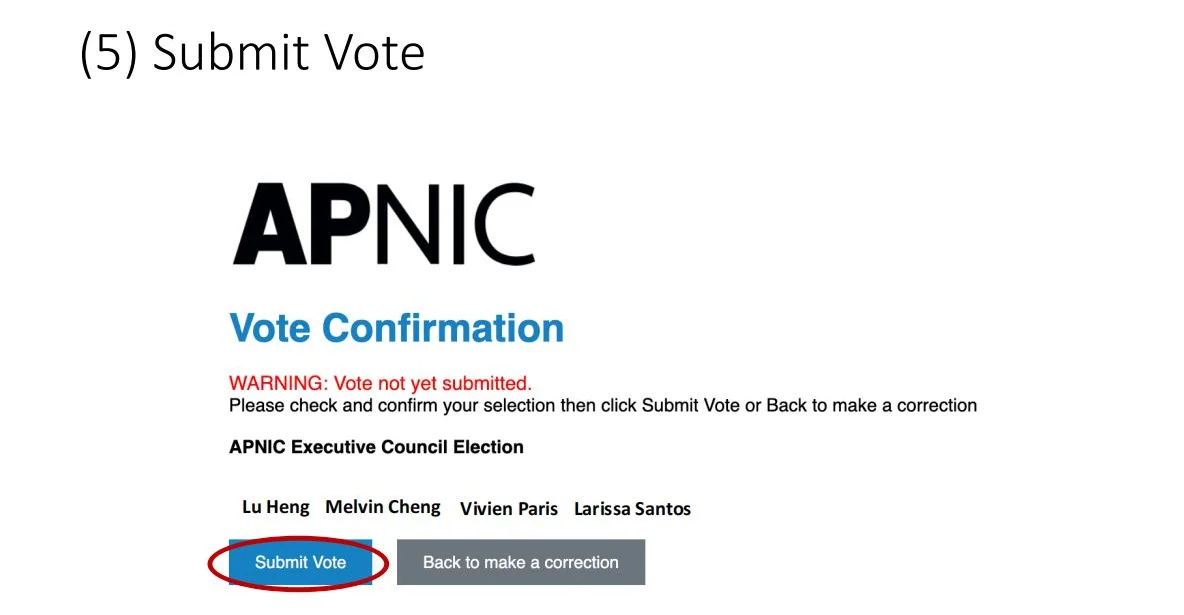
  5. Vote Confirmation screen showing the selected candidates and Submit Vote button.
    Review the selection and submit the vote.
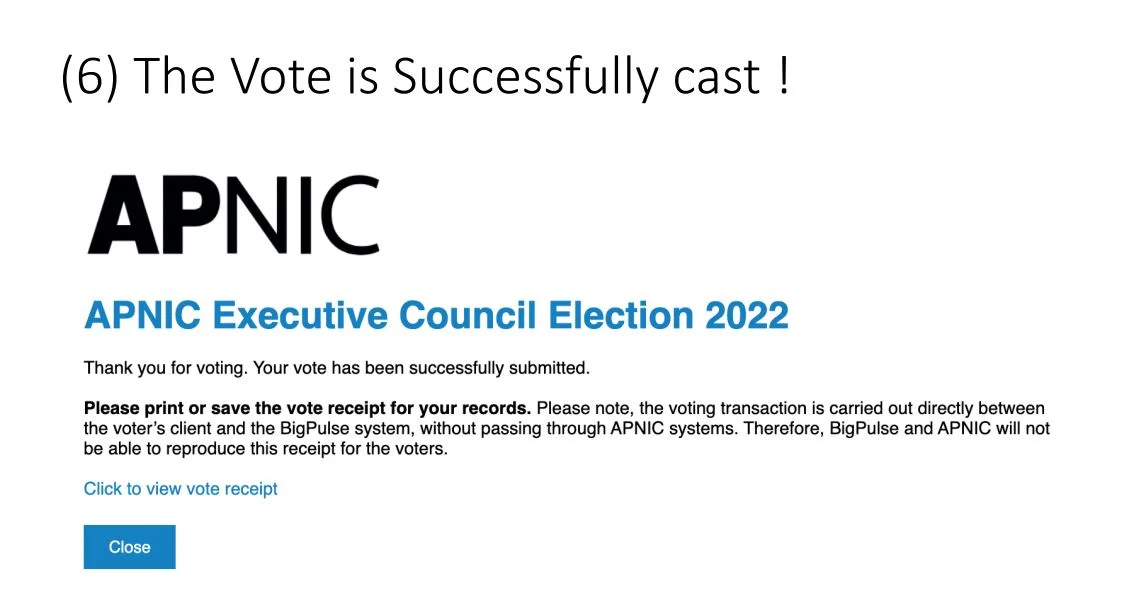
  6. Confirmation that the example 2022 APNIC Executive Council vote was successfully cast.
    Read the successful-vote confirmation.
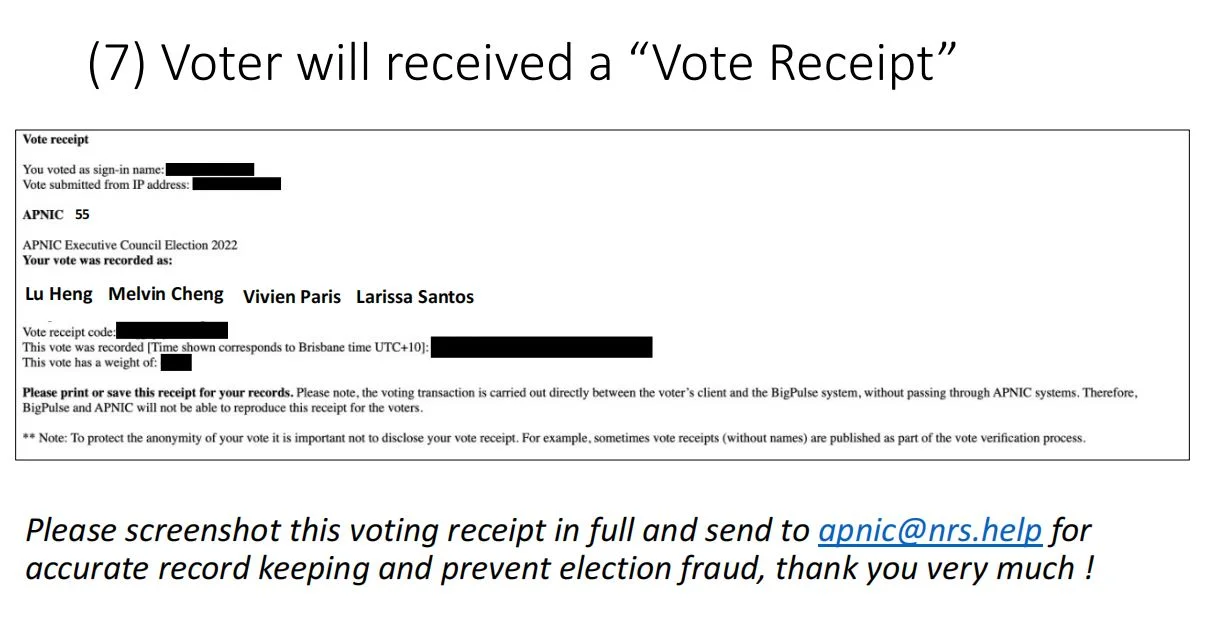
  7. Example vote receipt, with account details obscured, and the historical receipt-recording instruction.
    Keep the vote receipt shown by the original guide.